Skip to content
MenuClose
Get 25 free leads
Connect Claude

Bring your own Claude. We bring the leads.

Connect the Claude you already pay for and it can run your morning, write the pitches, chase the replies and tell you what is working. Your Claude does the thinking. Leadistry still only charges for leads.

YOUR CLAUDE · CONNECTED TO LEADISTRYMONDAY · 08:14
Morning. What’s on my Feed today? One line each, and don’t approve anything yet.
Three this morning, nothing sent:Example Joinery LtdManchester · Registered 4 Augemail verifiedExample Glazing LtdLeeds · Accounts due 30 Sepemail verifiedExample Roofing LtdHalifax · Website graded poorno verified email yet
Approve the first two.
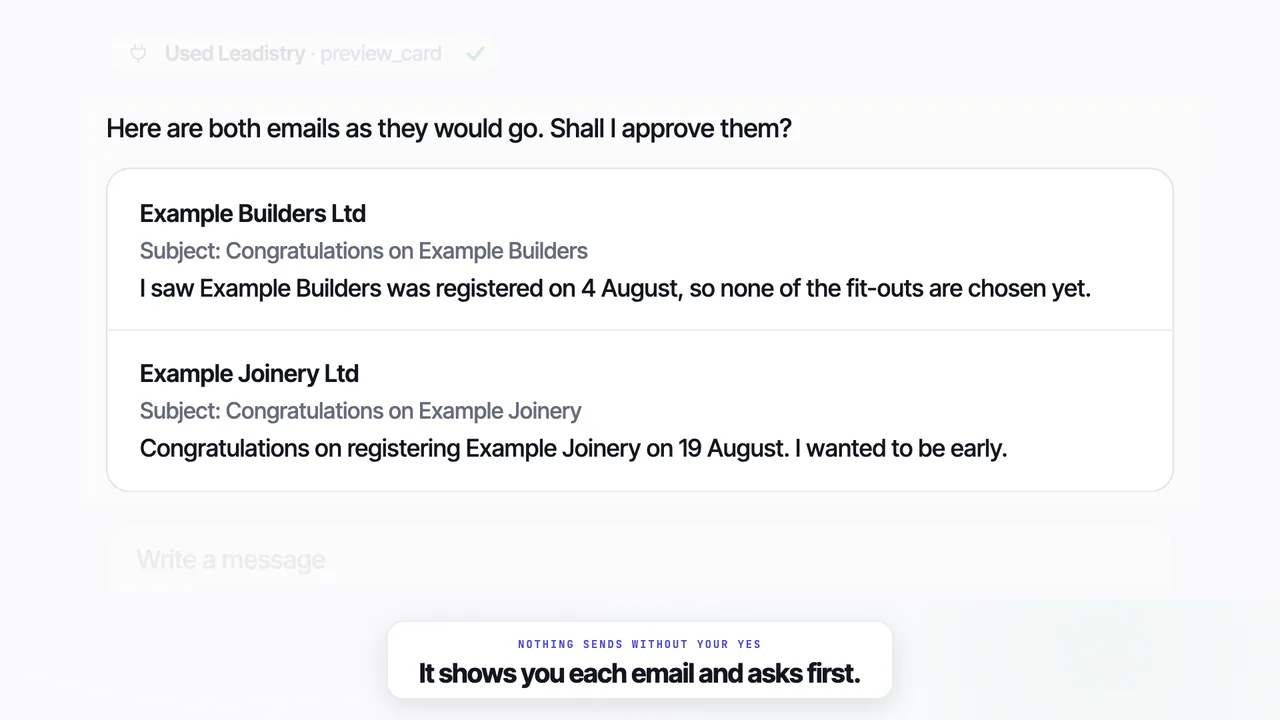
Here are the words that would go. Joinery: “Congratulations on getting Example Joinery registered.” Glazing: “Your first accounts are due on 30 September.” Send both?
Yes, send both.
Two approved · from your own mailbox, this morningRoofing stays on the Feed until an email is verifiedCOSTS NO LEADS

Connected in a minute.

One address, pasted into the assistant you already use. You sign in with your Leadistry login, tick what it may see, and it is on.

The addresshttps://api.leadistry.co.uk/mcp
01Claude

On the web, the desktop app or your phone: Settings, then Connectors, then Add custom connector. Paste the address.

02Claude Code

One line in the terminal: claude mcp add --transport http leadistry https://api.leadistry.co.uk/mcp. Then /mcp to sign in.

03Anything that speaks MCP

Paste it as a remote MCP server. The sign-in and the permissions screen are the same whichever assistant asks.

Say it the way you would say it.

Things people actually type once it is connected. Where a line touches money or sending, the note under it says what happens next.

Nothing goes out that you did not say yes to.

The right-hand list is not a promise. It is the list of things that have no door: there is no tool for them, whichever assistant is asking.

When you ask
  • Approve cards for sending, by name, with the words shown first
  • Write, edit and A/B test your pitches
  • Price a search, and start it once you have seen the price
  • Draft an answer to a reply, and queue it when you say the words are right
  • Mark companies talking, won or lost
  • Build, change and pause agents
  • Read every result with the number of emails next to every rate
Never, however you ask
  • Send an email you have not approved
  • Spend a lead it has not quoted to you
  • Connect a mailbox, or see how it is logged in
  • Touch billing, or delete the account
  • See or edit a do-not-contact list
  • Send in bulk
Every connection is listed in Settings with a Disconnect button. Changing your password disconnects them all.
Start free
Connect it to your first 25 leads

Sign up, paste the address into your Claude, and ask it to run the morning. Questions never count against your leads.

or
No card · 25 free leads · Full enrichment on every one

The rest of the product

01The FeedA few businesses to contact each morning, with the first email already written for you.Explore →02AgentsThey find the business, the right person there, and an email address that works.Explore →03SentWhat you sent, who replied, and what we stopped the moment they did.Explore →04The DeskAsk it anything. It answers, and tells you what is working.Explore →05Why nowEvery lead arrives with a dated reason to get in touch, taken from their own filing.Explore →06IntegrationsEvery lead and reply sent straight to Zapier, Make, Slack or your own software.Explore →07Chrome extensionLook up any company from its own website, free, without leaving the page.Explore →
The detail

Questions

01Which assistants work with it?+

Claude on the web, in the desktop app and on your phone, through a custom connector. Claude Code, with one line in the terminal. And anything else that speaks MCP, the open standard for connecting an assistant to a product: you paste the same address and get the same sign-in and the same permissions screen.

02What does it cost?+

Nothing extra from us. Your assistant's own plan pays for the thinking, and Leadistry charges for leads exactly as it does without it: one lead is one lead. Asking questions, reading your Feed, writing pitches and building agents never touch your allowance, and a search is priced to you before it can be started.

03What can it see?+

Whatever you tick on the permissions screen when you connect: your searches and leads, your Feed, pitches, sent emails, replies and results, your agents, and your plan and business profile. Each is a plain sentence you can untick. It never sees your mailbox login, your card details, or a do-not-contact list, because there is no door to those at all.

04Can it send an email without me?+

No. Approving a card and answering a reply both need you to confirm in the conversation, with the words in front of you, and there is no way to send in bulk. The one exception is autopilot, which is your own account switch: on, the morning's emails go under the rule you set once. Switching it on through the assistant still needs your confirmation, in your own words.

05How do I disconnect it?+

Settings, then Integrations. Every connection is listed with what it may see and when it was last used, and a Disconnect button that cuts it off at once. Changing your password disconnects every assistant too, in the same way it signs out every other device.

06Does it work with Claude Code?+

Yes. In the terminal, claude mcp add --transport http leadistry https://api.leadistry.co.uk/mcp, then /mcp to sign in. Your browser opens the Leadistry permissions screen, you tick what it may see, and it is connected.

Four routines, by name.

Ask for one and it runs the whole thing, reporting back before anything is acted on.

01morning_runReads the Feed, previews anything unclear, proposes which cards to approve and skips the rest. Sends only what you say yes to.
02weekly_reviewWhat is talking, won and lost, what the plan is costing per deal, and where the next leads should go. It quotes the search and stops there.
03why_now_sweepGoes through every agent and what each has raised, against your replies by reason, and proposes what to narrow, pause or replace.
04new_pitchReads your profile and your results, writes two pitches from different angles, shows both, and offers to test them against each other.