Every lead you have, on one screen.
Every company we found for you, with why it matched and its email.
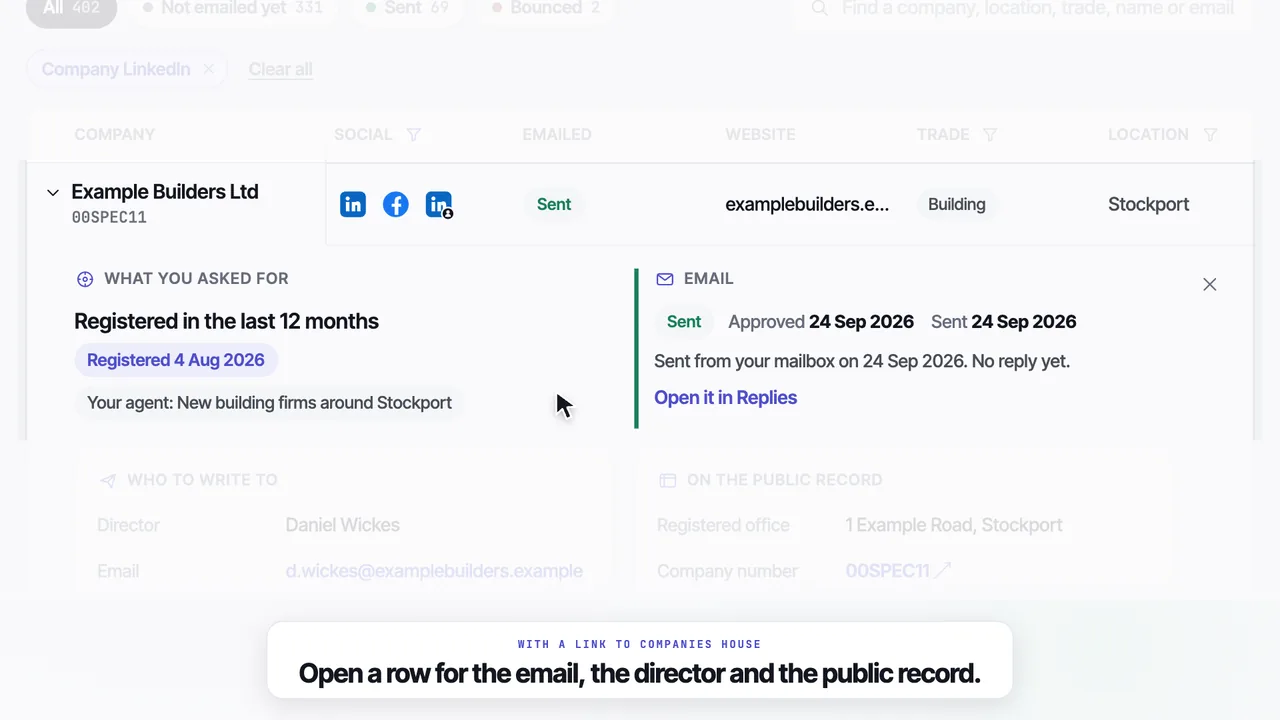
Everything about a company, in one row.
Every column filters, and every email says where it stands.
| Company | Intent | Director | Social | Emailed | |
|---|---|---|---|---|---|
| Example Builders Ltd | Registered in the last 12 months | Daniel Wickes | d.wickes@examplebuilders.example | Sent | |
| Example Joinery Ltd | Registered in the last 12 months | Priya Shah | hello@examplejoinery.example | Not emailed yet | |
| Example Construction Ltd | Registered in the last 12 months | Owen Hart | office@exampleconstruction.example | Sent | |
| Example Homes Ltd | Registered in the last 12 months | Grace Bell | grace@examplehomes.example | Not emailed yet | |
| Example Renovations Ltd | Registered in the last 12 months | Tariq Khan | tariq@examplerenovations.example | Not emailed yet | |
| Example Developments Ltd | Registered in the last 12 months | Tom Hale | tom@exampledevelopments.example | Sent |
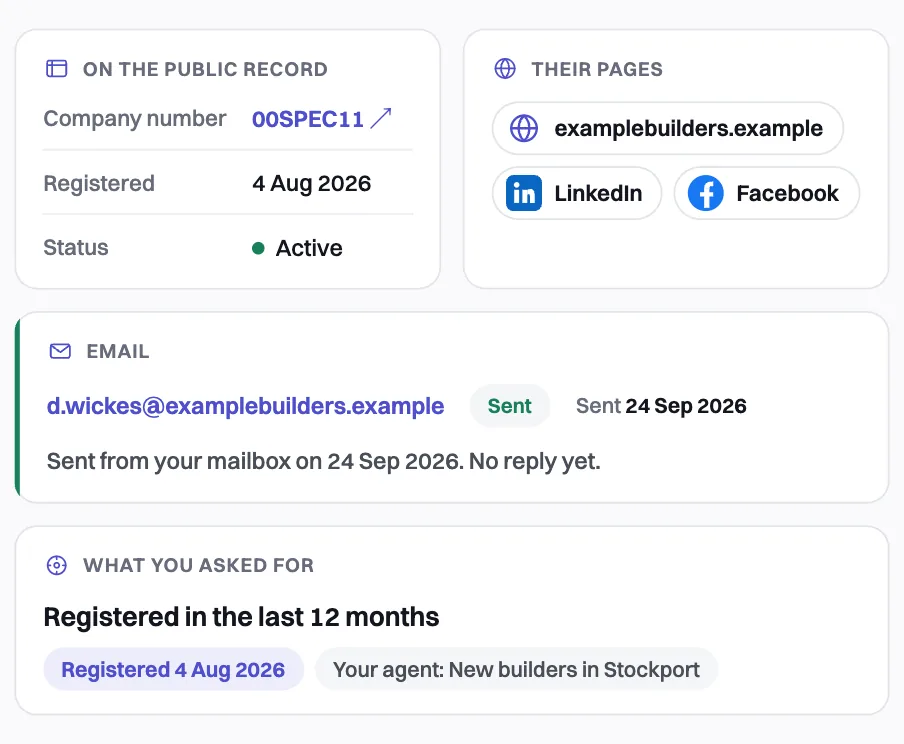
One company
Open any row for what you asked for, the email, their pages and the public record.
- A link to the company on Companies House
- Why an email has not gone, if it has not
- Their website and social pages in one place
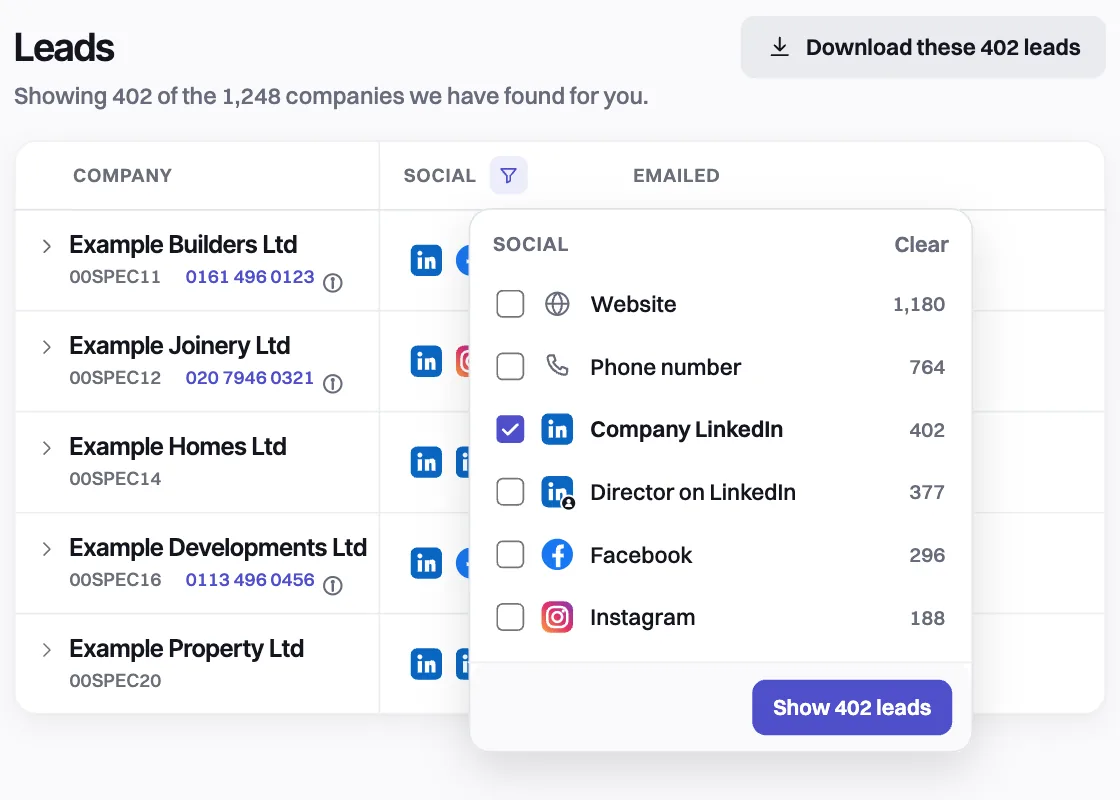
Filters
Filter any column, or search for a company, place, trade, name or email.
- Show only the leads with the pages you pick
- Every email status, in plain words
- Download the rows you see as a CSV, on paid plans
The rest of Leads, a line each.
Bounces credited back
A first email that bounces is credited back automatically.
Your 25 free ones too
Your trial leads are here from your first day.
A phone number, on paid plans
The switchboard or main number a company publishes on its own website, where it has one. Never a mobile or a named person's direct line. We do not check it against the TPS or the Corporate TPS: you check it before every sales call, and you accept the calling rules in the app first. Free trials see a padlock. Anyone can use Remove my number.
Skipped stays yours
Skip a company on the Feed and it stays here, not emailed.
Saved from Chrome
Companies you save with the extension are here when we have their email.
Sort the list
By company, director, email, trade, town, intent, status or date added.
The rest of the product
Questions
01What is on each lead?+
The company and why it matched, the director when the public record names one, the email and where it stands, the website and social pages we could confirm, the trade, the location and the date added.
02Which social pages do you find?+
The website, the company's LinkedIn, the director's LinkedIn, Facebook and Instagram. We only show a page we could confirm is theirs.
03Can I download my leads as a CSV?+
Yes, on any paid plan. The download holds exactly the rows you are looking at.
04What happens if an email bounces?+
A first email that bounces is credited back automatically, and Leads marks it Bounced.
05Do you include phone numbers?+
Yes, on paid plans, when the company's own website shows a switchboard or main number. Not every lead has one. It is never a mobile, a personal number or the direct line of a named person. It is included in your plan, with nothing extra to pay.
06Do you check the numbers against the TPS?+
No. We have not checked a number against the TPS or the Corporate TPS, so you check it before every sales call. An information button beside each number says so and links to the TPS checker, which checks both registers. Calling a number on either is against the law, and the check is yours (section 9A of our terms). You accept the calling rules in the app before you see a number.
07Does the free trial show phone numbers?+
No. On a free trial the number, and the LinkedIn, Facebook and Instagram links, sit behind a padlock marked On paid plans. The email and the website are there from the first lead.
08Can a company stop its number being shown?+
Yes. Anyone can use Remove my number at leadistry.co.uk/opt-out?kind=phone. We act on it straight away, and at the latest within one month. The number then stops being shown to every customer.
09Are my free trial leads on it?+
Yes, with every other company we have found for you and the ones you skipped. A company you saved with the Chrome extension is on it too when we have its email.
Tell the assistant who you sell to, and your first 25 leads arrive free.
No card · 25 free leads · 25 free emails · Cancel in the app